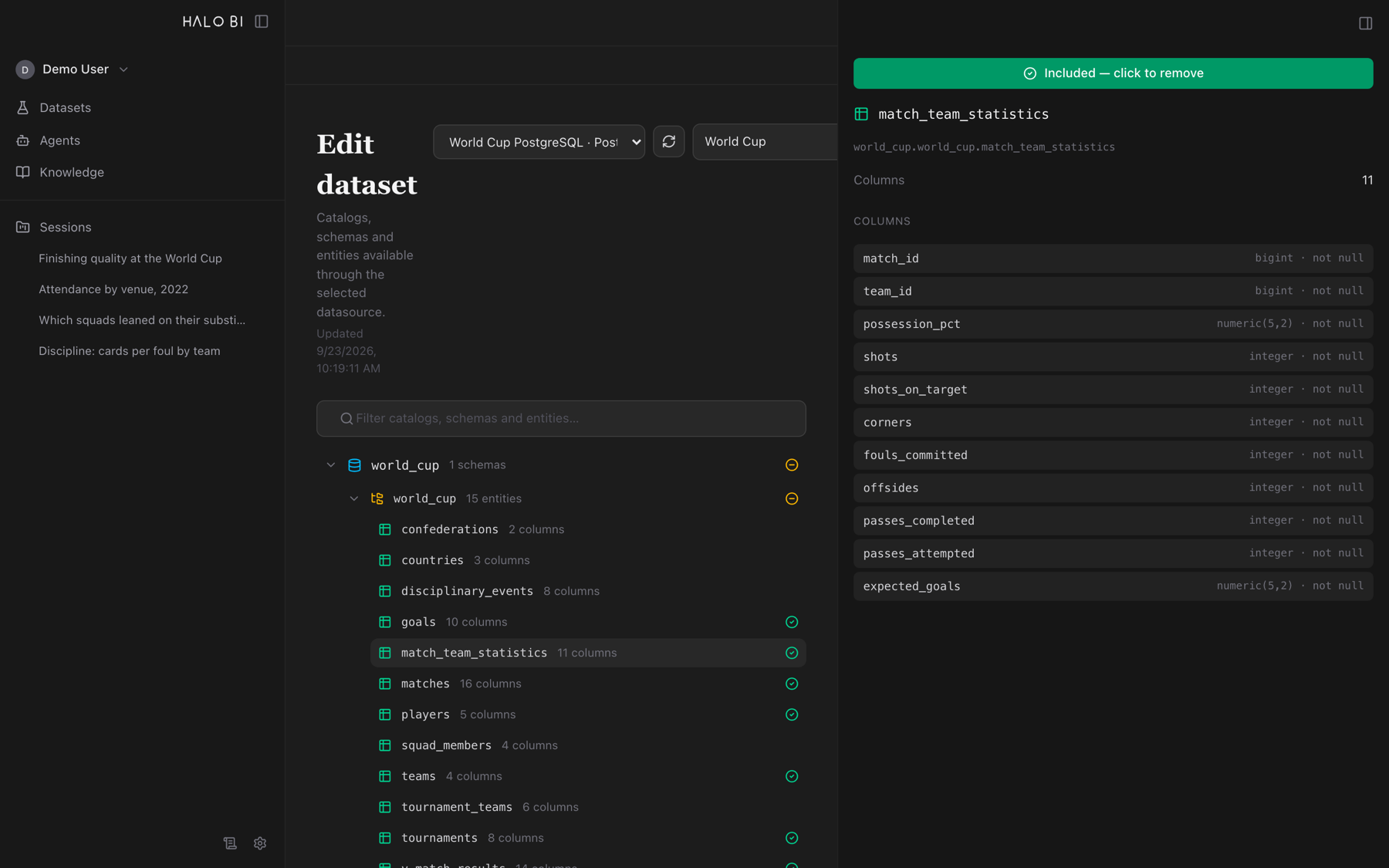
Point it at your data
Connect a Databricks SQL warehouse or a PostgreSQL database, browse the catalog, and pick the entities that belong in a dataset. A session works over the datasets you choose — nothing wider.
An experiment from Halo Powered Labs
A desktop app that answers business questions over your own warehouse — by planning the analysis, writing the SQL, running it, and explaining what came back. Every number traces to a query you can read.
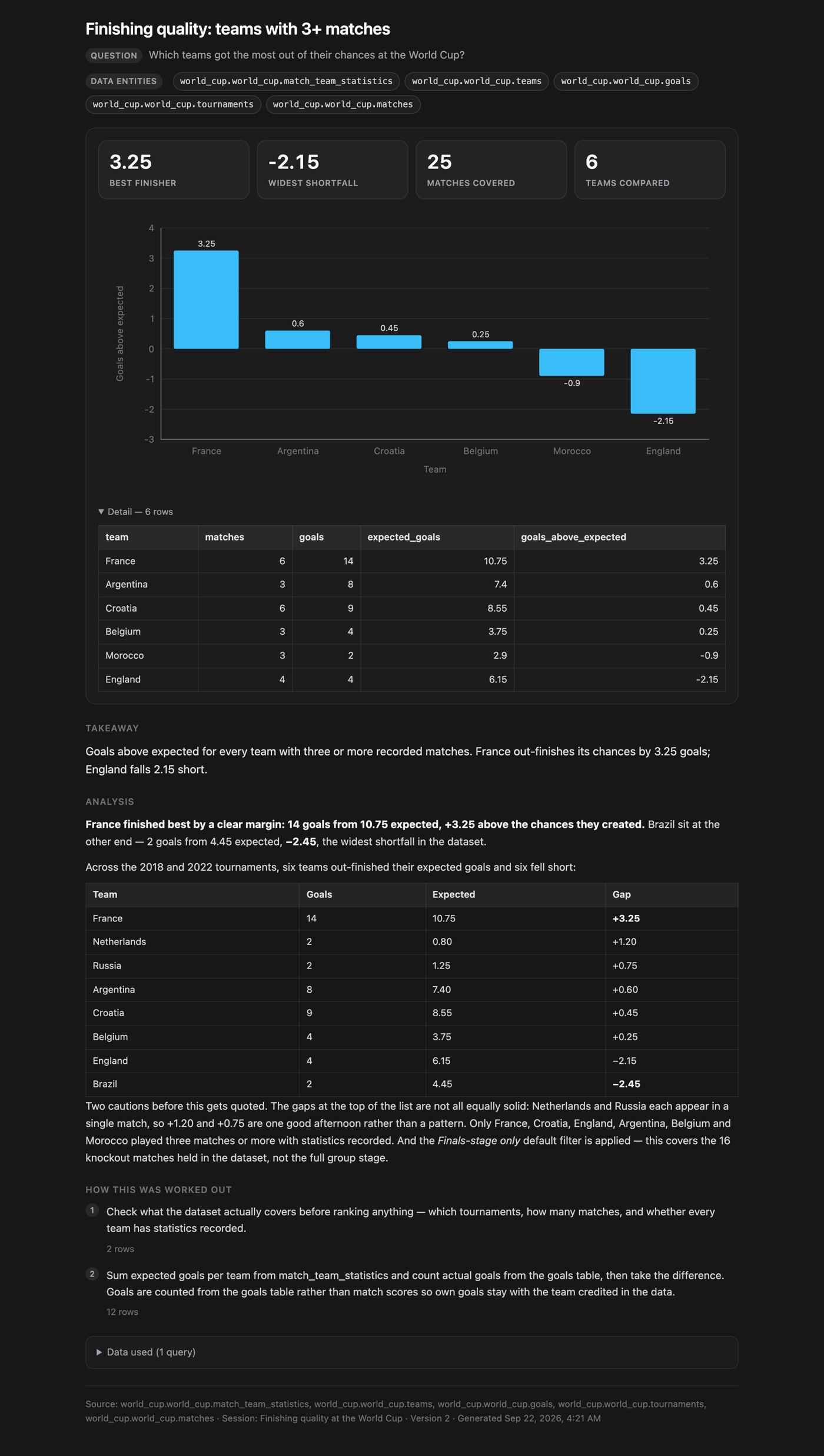
You ask in plain language. The assistant maps the question onto the real entities and columns in your data, runs read-only SQL until it has the answer, and replies with the numbers, the comparison, and a short takeaway — citing the tables it used. When the data doesn't cover what you asked, it says so instead of filling the gap.
Every factual claim comes from SQL executed in the conversation — never from what the model already believes.
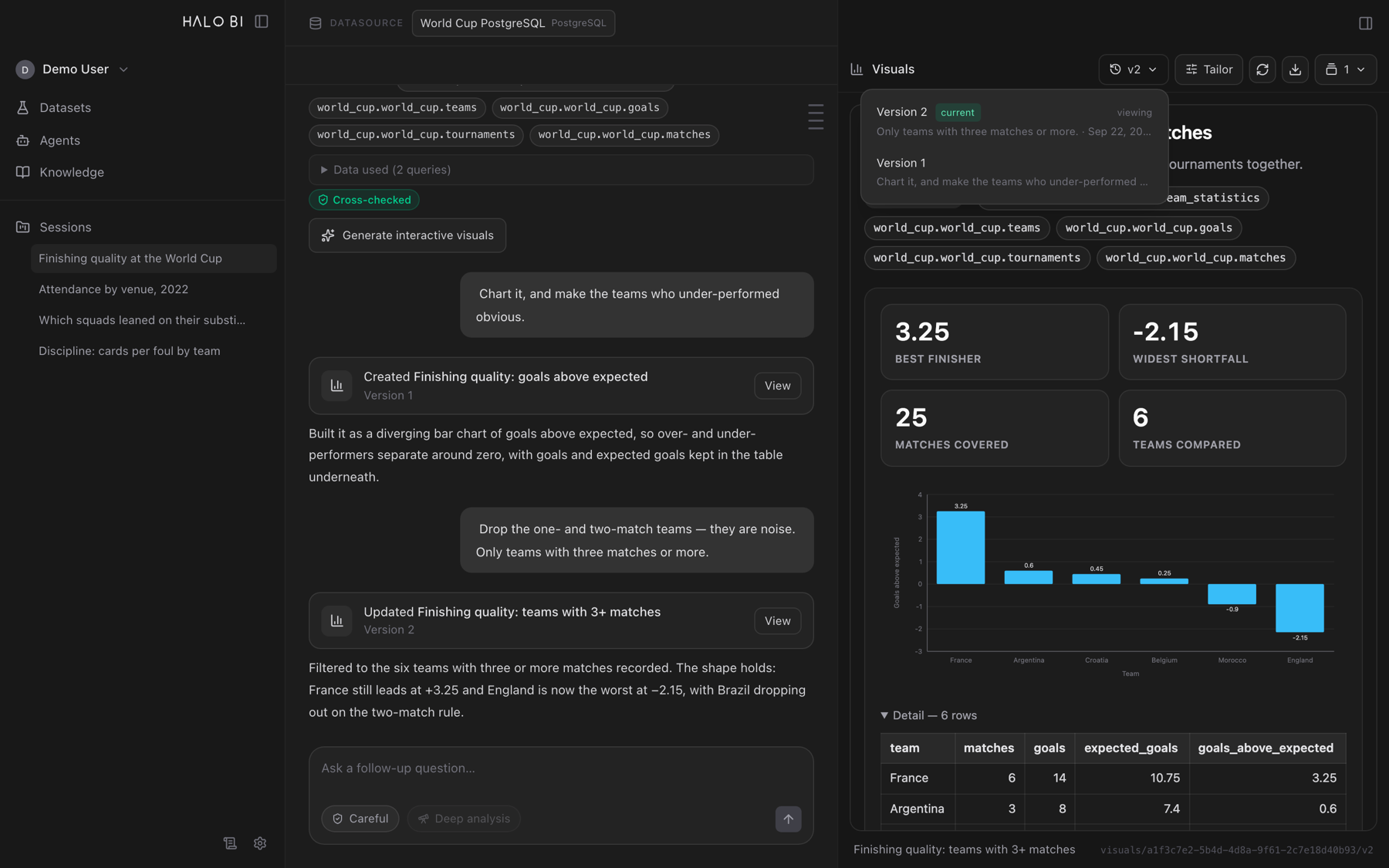
Visuals are conversation participants. Ask for a change; the chart updates, versioned, revertible.
One installer. The app, its API and its database all run on your machine — no service to stand up.
How it works
One loop per question. Each step is visible in the app, so a reviewer can follow the reasoning from the sentence you typed down to the rows that produced the number.
Connect a Databricks SQL warehouse or a PostgreSQL database, browse the catalog, and pick the entities that belong in a dataset. A session works over the datasets you choose — nothing wider.
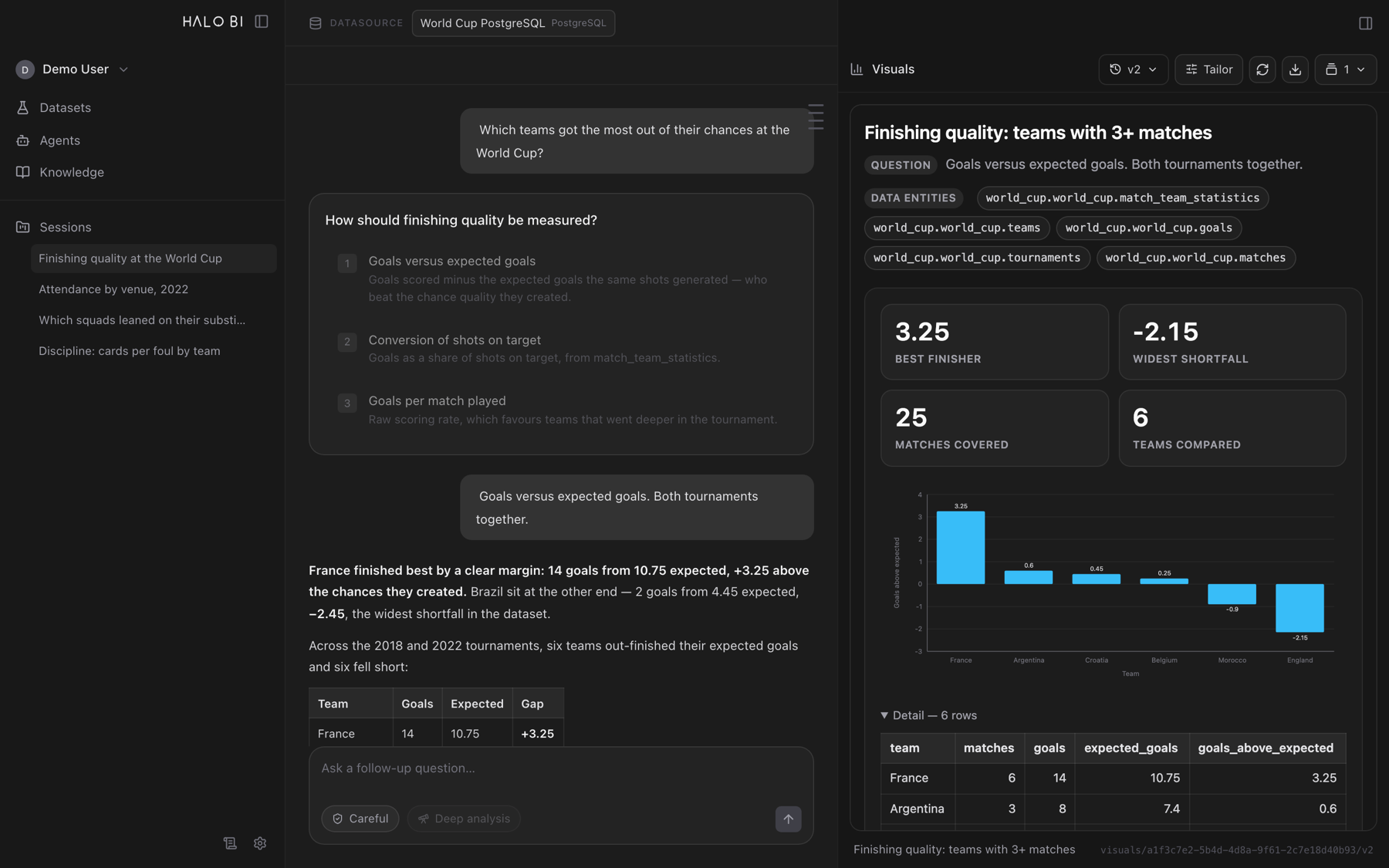
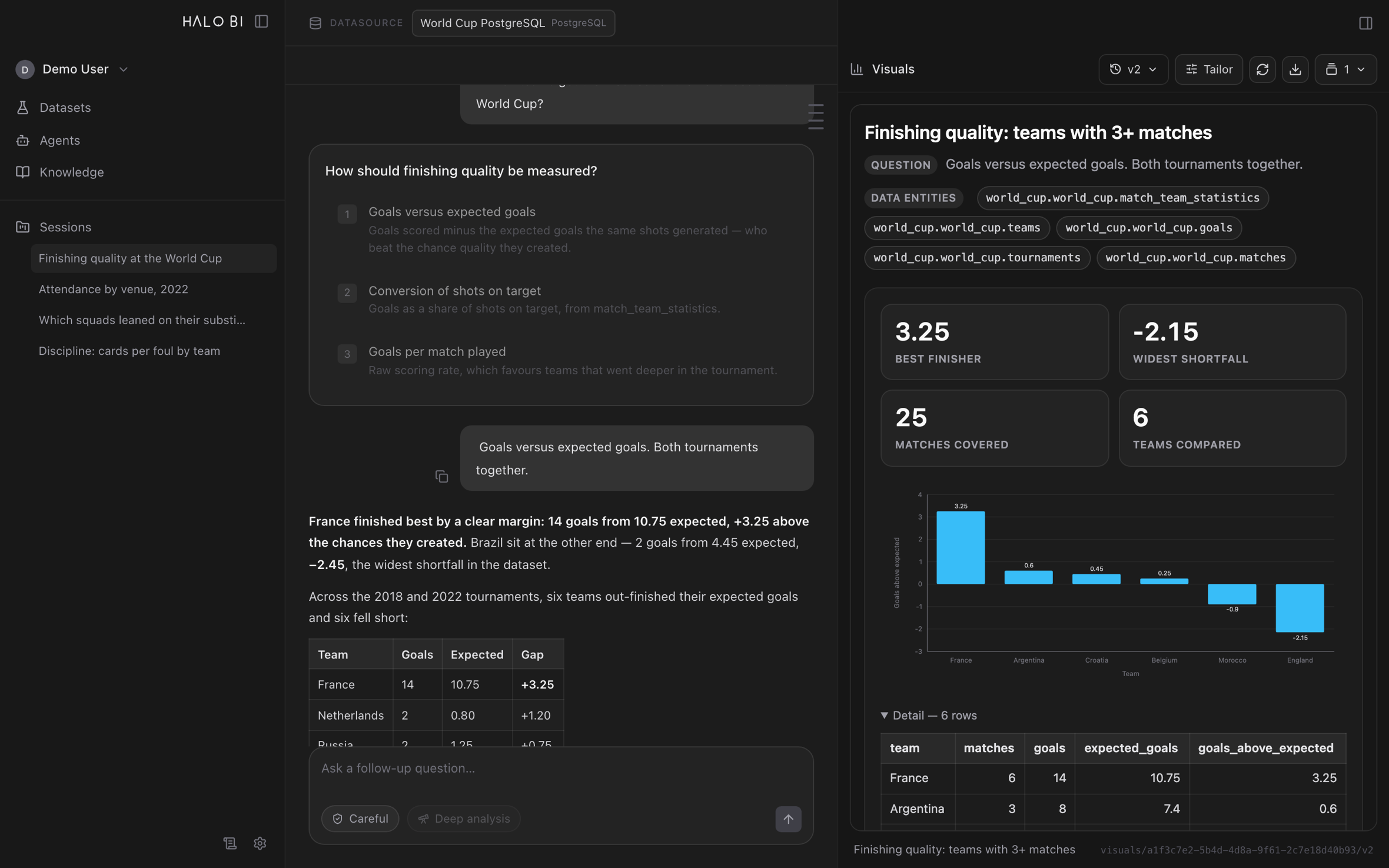
The assistant resolves the question against real schemas and sample values. When the metric itself is undefined — "best", "top", "performed well" — it asks one short question with concrete options drawn from your data, rather than guessing.
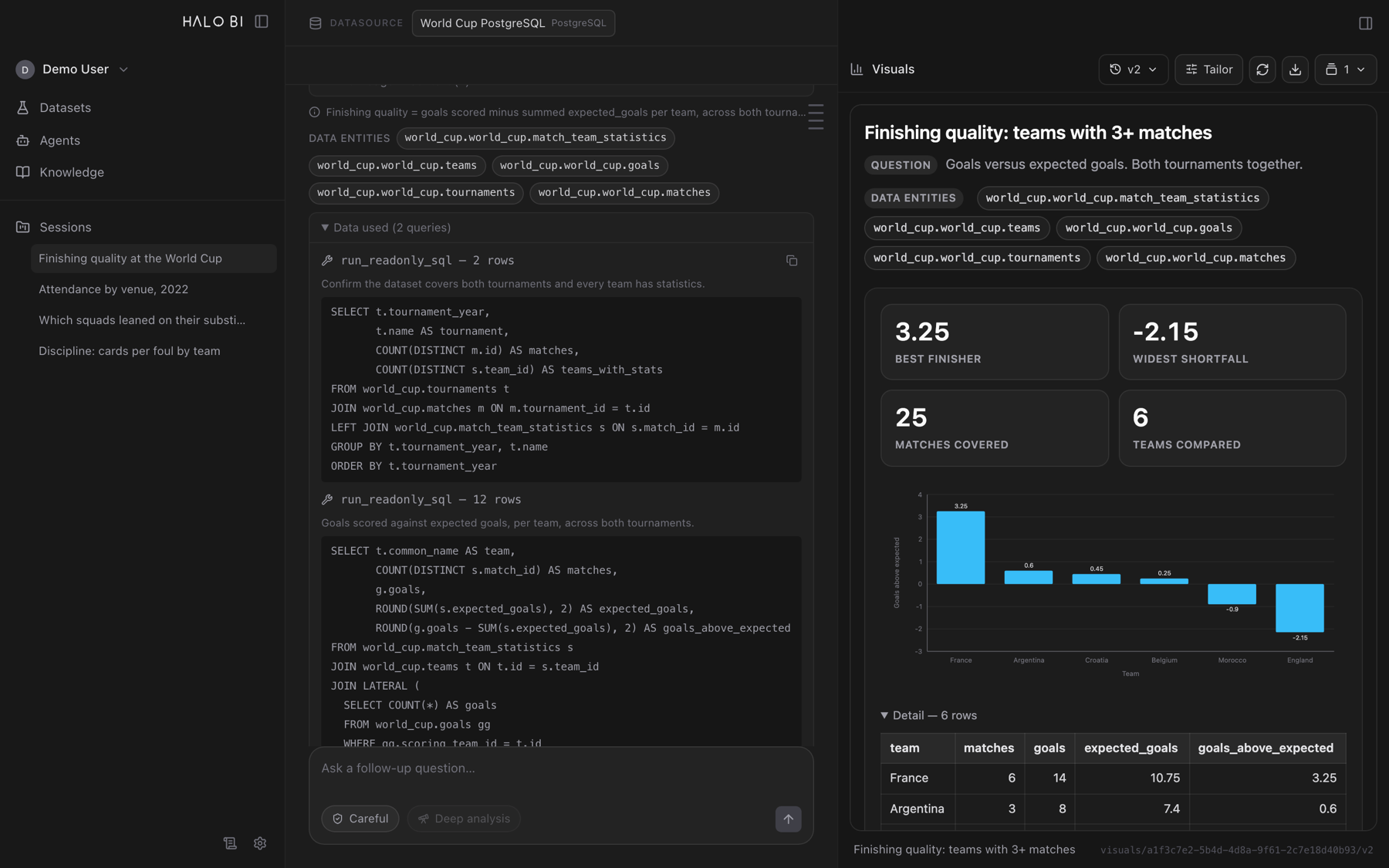
Read-only queries, chained as far as the analysis needs, favouring aggregations so results come back small and meaningful. You see the SQL, the row counts, and a sample of the rows behind every answer.
The reply carries the numbers, the ranking, the takeaway and the entities it used. Ask for a chart and it builds one from that answer's own rows — then keeps tailoring it as you talk, with every version kept.
What's inside
Most of the app is not the chat box. It's the machinery that keeps an answer honest when the schema is messy and the business vocabulary is not in the column names.
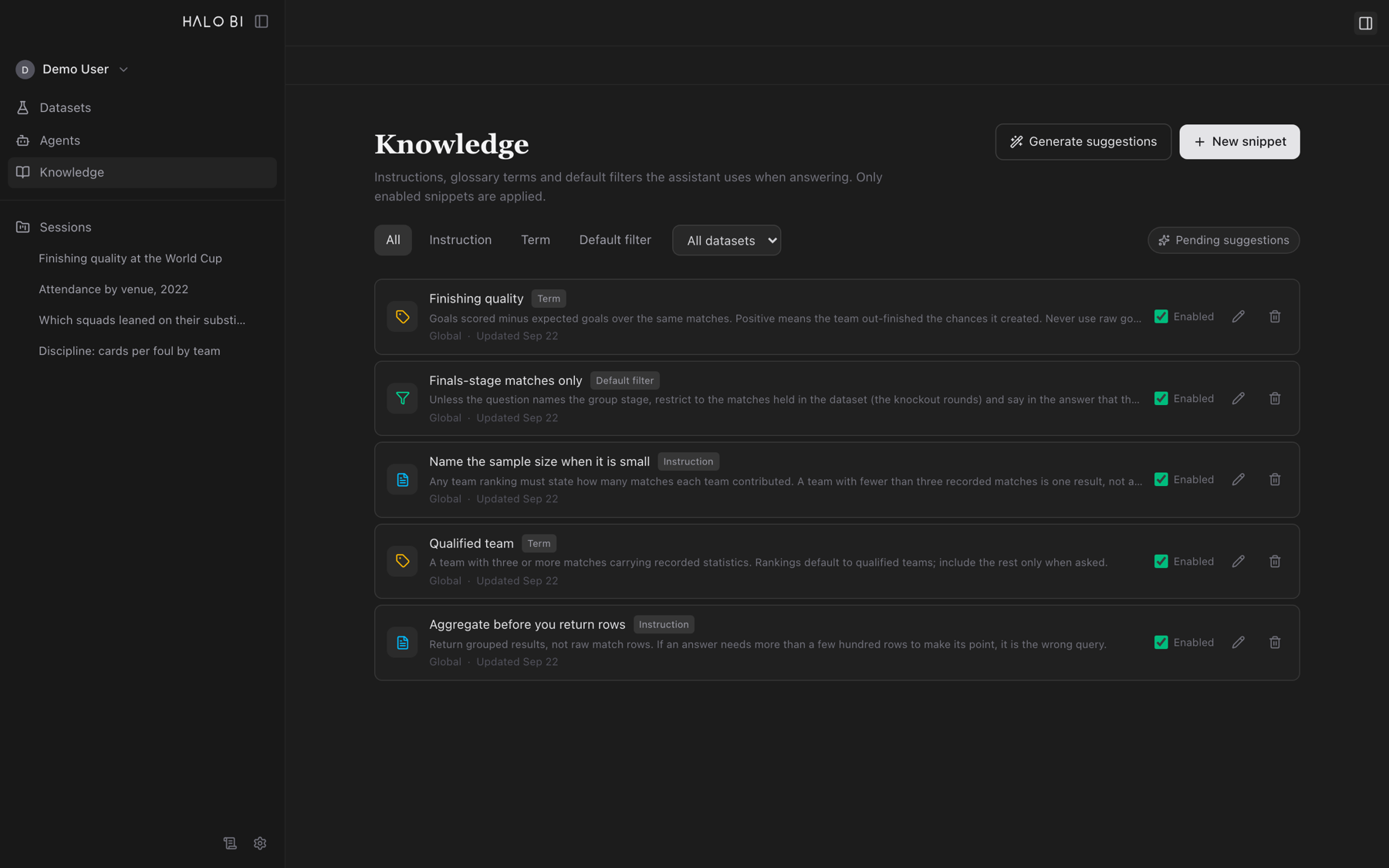
Glossary terms, standing instructions and default filters you author once. They outrank whatever the model would infer from a column name, and the assistant names which filters it applied.
Charts you refine by conversation. Each visual is versioned, revertible, and exports as a self-contained page with the question, the analysis, the SQL and the data.
Every visual and answer carries the query that produced it, how many rows came back, and the first rows themselves — collapsible, but always there.
For the bigger questions: the assistant plans several angles of attack, investigates each one, and synthesises the findings into a written report saved to the session.
Promote SQL you trust into a reusable, known-good answer, so the next person asking the same question gets the same numbers.
Run a question set against the agent, grade the results, and compare runs over time — so a prompt change that quietly breaks an answer shows up as a regression.
Each session keeps its own transcript, memory thread and workspace, so follow-up questions build on the analysis instead of restarting it.
Point it at OpenAI or at LenAI, Halo's internal OpenAI-compatible gateway. The key is stored encrypted on your machine and tested from the settings screen.
The installer ships the interface and its API together. Launch the app and everything it needs starts with it — no runtime to install, no server to operate.
Get the app
Installers are built per platform. Pick the one that matches your machine — on a Mac, Apple silicon is arm64 and Intel is x64.
On first launch, open Settings and add your model provider key and a data connection. macOS builds are not notarised yet — if Gatekeeper blocks the app, open it once via right-click → Open.
Where your data goes
The assistant is a desktop app, not a hosted service. Your warehouse credentials, your sessions and your answers stay on the machine that installed it.
Databricks SQL warehouses and PostgreSQL databases, queried read-only.
Sessions, datasets, knowledge and settings live in a local database in the app's own user-data directory.
Queries go to the warehouse you connected; prompts go to the model provider you configured. Nothing else.
Model provider keys are stored encrypted locally and never rendered back into the interface.
macOS (Apple silicon and Intel) and Windows x64.
An active Labs experiment — shipping often, and built alongside the teams using it.
That's the one we want. Bring it to the bench and we'll come back with a working answer — and the evidence behind it.
Talk to the Labs